Showing posts with label thank you card. Show all posts

Tuesday, January 27, 2015

February Thank You's

  Nothing better to do on a day where you are snowed in but to make some cards! I got a little bit of organizing done and a couple more small boxes gone through from the move to the upstairs, but still much more to go. Although it has been great having everything upstairs now! I would have made nothing in the last couple weeks if I had to go to the basement because my knee has been aching so badly, but with my stuff being up here I have made 21 cards!!! Can you tell I am excited about that!

  When I was going through the boxes there was one that had some leftovers from some card kits and other cards I had made. There was one of my favorite thank you cards left over but it was all bent up and I was keeping it just to remind me to make more. Then I had a small bag of leftover hearts from some valentine cards last year and it was all on my desk when I was putting things away and I thought how cute would it be to combine them and make this months thank you's!!


Here is a picture that shows the thank you's I made last year that I loved so much.
 I can't believe I don't have a photo of just the card alone. 


And here are my new thank you cards for February!!


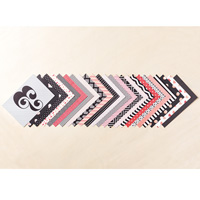
I had to change it some. As much as I LOVE the black and white polka dot paper I wanted to use the heart dsp from the new stacked with love designer series paper stack and it was not quite as wide as the strip on the other card so there is more of a white border around this card. I still used the same wonderful sentiment from the Another Thank You, photopoly set. The hearts are leftovers from some cards last year and the Hearts a flutter set and framelits. The sweetheart punch would be so cute here too! 


Wednesday, January 21, 2015

Using up my stash!

I have still not been able to make much lately. I know most of you have read about my scrapbook room remodel over the summer last year and in the past couple months I showed some photos of my storage, but with my knee being injured I just have not been able to get to my room in the basement to make anything. Although I  CAN get up and down stairs, my knee is pretty achy and if I do much walking or anything it makes it even worse. So last week my son decided he would like to have a larger bedroom! PERFECT! He took my scrapbook room and they have been moving my stuff upstairs for me. I do not have as much room now as I did so I need to pare down some things, but at least I am able to use it!

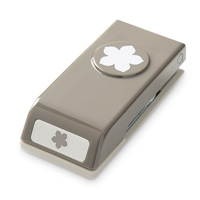
I have a set of cards I need to make this week for someone who won a prize from me, and I will get to those but this card was calling me badly today!  (plus I am in need of a couple items to make the cards I want to send her)   I have had this card saved in my "to do" file for awhile now but I don't have the little flower punch or stamp that was used so I put it off. Well I thought I would substitute another flower for it but that didn't quite look right and a fellow demo said she had this set I could use. So I made the cards without the flowers thinking I will add them later, but now I am not sure it needs them. I think I like it the way it is??? What do you think? Should I add the flowers? Or leave it alone?

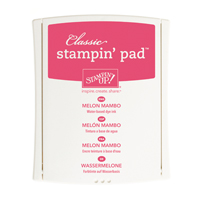
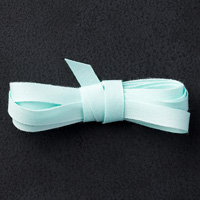
I used retired dsp from the season of style stack, retired pool party ribbon and I think the rest is still current. I have listed the products used below and also included the punch and stamp set from her card as well.


Here is my card. I really love this color combo!


Here is the card I cased. Again no watermark or anything so I am unsure who to credit. If someone knows whose card this is please let me know. I would love to credit the designer of this gorgeous card. 


Code line 7 9 is for loading jQuery library. Remove this line if you’ve already loaded it somewhere else in your blog. Hint: If your blog has an image slider, carousel or something with fading effect running, chances are it is powered by jQuery. If this widget doesn’t work, the first thing you want to do is comment out or remove this line. To use your own button, replace the URL in line 3 with the direct link URL to the image. Make sure to keep the quotes. To reposition the button, replace